Huruhara Font Review
As a web designer, I often find myself searching for fonts that can bring a unique visual identity to a project. Huruhara caught my eye during a recent redesign of a boutique online store. Its raw energy and chaotic aesthetic immediately felt right for the brand’s edgy, alternative vibe.
Visual Personality and Digital Appeal
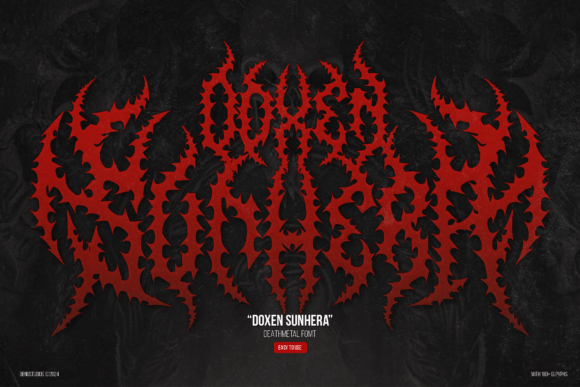
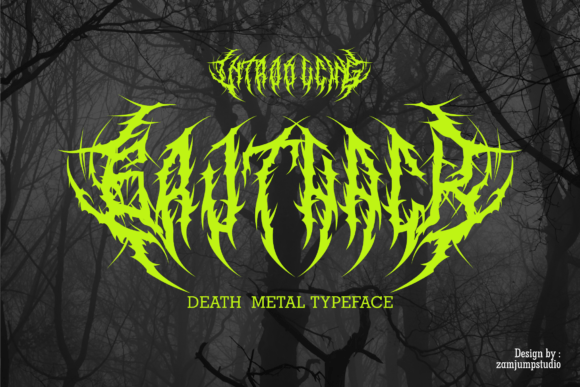
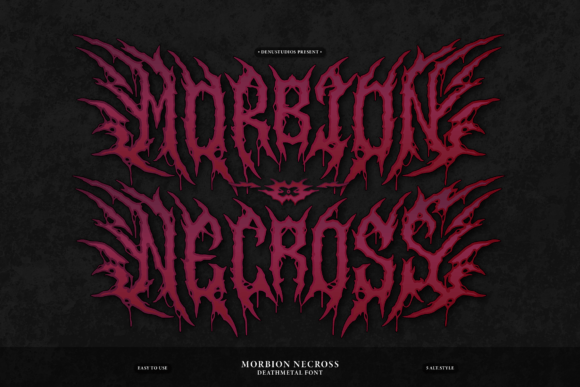
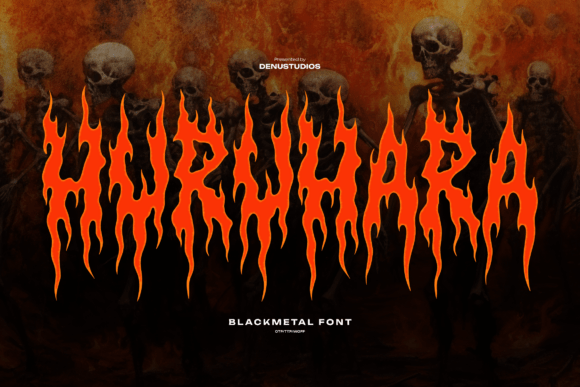
Huruhara is a blackletter font with a fierce, almost aggressive presence. The letterforms are jagged, with flame-like strokes that seem to flicker and dance across the screen. It’s not subtle, but that’s part of its charm. This typeface thrives in digital spaces where boldness and impact matter most.
When used in headers or hero sections, Huruhara commands attention. It has a strong visual personality that works well for creative portfolios, music-related websites, or any project looking to make a statement. The font’s intensity doesn’t feel forced—it feels intentional, like it was designed to stand out.
Web Design Applications
I tested Huruhara on a few different layouts, starting with a product landing page. The font worked perfectly as a headline over an image banner, adding a sense of urgency and excitement. It paired well with a clean sans serif for body text, creating a nice contrast without clashing.
On mobile devices, Huruhara remained legible, though it’s important to keep text sizes large enough to maintain readability. On smaller screens, the intricate details of the letters can get lost if not properly scaled. For buttons or call-to-action elements, it adds a dynamic edge that sets the design apart from more standard fonts.
One of the most effective uses I found was in a blog header. The font added a dramatic flair that matched the tone of the content. It also worked well as a decorative accent in social media graphics, giving posts a striking, handmade feel.
Readability and Responsive Design
While Huruhara is a display font, it’s not ideal for long paragraphs. Using it for body copy would be impractical and could hurt user experience. However, for short phrases, titles, or logo text, it shines. It’s best suited for headlines, section headings, and other focal points in a layout.
For responsive design, I recommend using larger font sizes and ensuring there's enough spacing between lines. When placed over images or dark backgrounds, the font maintains its clarity without being overwhelming. On light backgrounds, it still stands out, but care should be taken to avoid visual fatigue.
Accessibility is another consideration. While Huruhara is visually striking, it may not be the best choice for form labels, navigation menus, or any text that users need to scan quickly. In those cases, a simpler, more readable font is preferable.
Font Pairing and Brand Identity
Pairing Huruhara with a clean, modern sans serif creates a balanced look that’s both bold and professional. This combination works well for online stores, SaaS landing pages, or any site that needs a mix of creativity and clarity. A simple serif font can also provide a nice contrast, especially for editorial-style content.
For a more editorial or vintage feel, pairing Huruhara with a script or handwritten font can add depth and character. However, this approach requires careful balancing to avoid visual clutter. The key is to let the font shine without overpowering the rest of the design.
When considering brand identity, Huruhara can help establish a strong, memorable visual presence. It’s perfect for brands that want to communicate intensity, rebellion, or a sense of artistic freedom. But it’s important to use it strategically to maintain consistency across all touchpoints.
Practical Considerations for Web Use
Before implementing Huruhara in a live project, I always check for webfont availability and licensing. The font comes in multiple weights and styles, which is great for flexibility. It also supports multilingual characters, making it a good choice for international audiences.
For web designers, the file formats provided are essential. WOFF and WOFF2 are standard for fast loading, and having access to alternates and ligatures gives more control over the final look. These features are especially useful when working on custom typography or interactive elements.
Overall, Huruhara is a powerful tool for web designers looking to add a unique, high-impact element to their projects. It’s not a one-size-fits-all solution, but when used correctly, it can elevate a design and make it stand out in a crowded digital space.